
The Samsung Galaxy S26 Ultra is undoubtedly a brilliant flagship smartphone with a powerful AI-ready processor, excellent cameras, a splendid design, and notable features like super stable video and privacy screen. However, it’s that last bit that may be responsible for a rather surprising issue with the S26 Ultra: the screen is slightly dimmer than the S25 Ultra’s, even with the privacy screen disabled.
There have been complaints online about the Galaxy S26 Ultra’s screen, including some claiming that it causes eye strain. As someone who spent many days staring at the 6.9-inch Dynamic AMOLED display, I can tell you that I never experienced that. From what I could see, the screen looked bright, clear, and rich in color.
Article continues below.
However, after reading today’s story and Reddit’s concerns, I decided to take another look.
First, I dug back into the Future Labs benchmarks, specifically focusing on brightness in Nits and color volume. Samsung rates the Galaxy S26 Ultra for 2,600 peak nits, the same number as the S25 Ultra’s display (aside from the privacy screen, these panels are essentially identical), but it’s rare for a flagship to meet these criteria across all of our testing conditions.
As you can see below, the HDR brightness is generally lower than the rated number for both phones. However, you may also notice that there is a very small difference between the S26 Ultra and S25 Ultra and, yes, the S25 Ultra is a little brighter in our tests. It also narrowly surpasses the S26 Ultra in color volume.
| Row 0 – Cell 0 |
Samsung Galaxy S26 Ultra |
Samsung Galaxy S25 Ultra |
|
Color gamut (sRGB) |
151 |
151.5 |
|
Volume (DCI-P3 |
106.9 |
107.3 |
| Row 0 – Cell 0 |
Samsung Galaxy S26 Ultra |
Samsung Galaxy S25 Ultra |
|
Adaptive Brightness On |
1303 |
1328 |
|
Adaptive brightness disabled |
1272 |
1282 |
The variations are so small as to be insignificant and I would challenge anyone to notice these differences at a glance. If you have an S26 Ultra in your hand, I’m sure you’ll see the same bright and colorful screen as I do. I, however, have an advantage. I still have the excellent Galaxy S25 Ultra on hand.
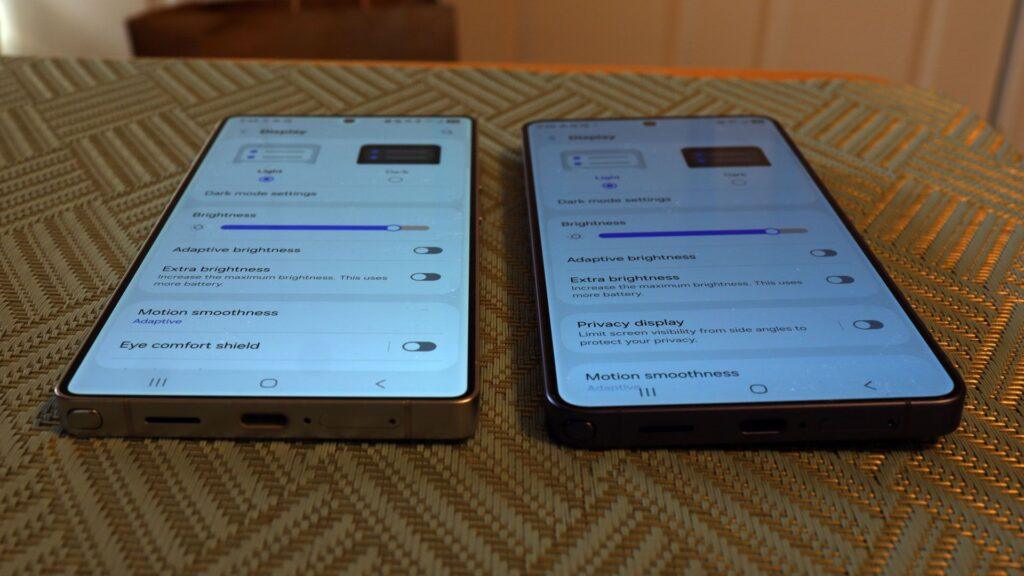
I decided to do a simple side-to-side eye test. First, I made sure both phones had all their platform updates. Next, I made sure all the display settings were the same, including resolution and brightness. I turned off adaptive brightness and, on the S26 Ultra, made sure Privacy Display was turned off.
Then, I placed the two phones side by side, screen facing up.
Staring, with my eyes perpendicular to the screen, I thought I detected a slight difference, with the S25 Ultra possibly being a little brighter. The difference is so small that I’m not sure it’s evident in this photo.
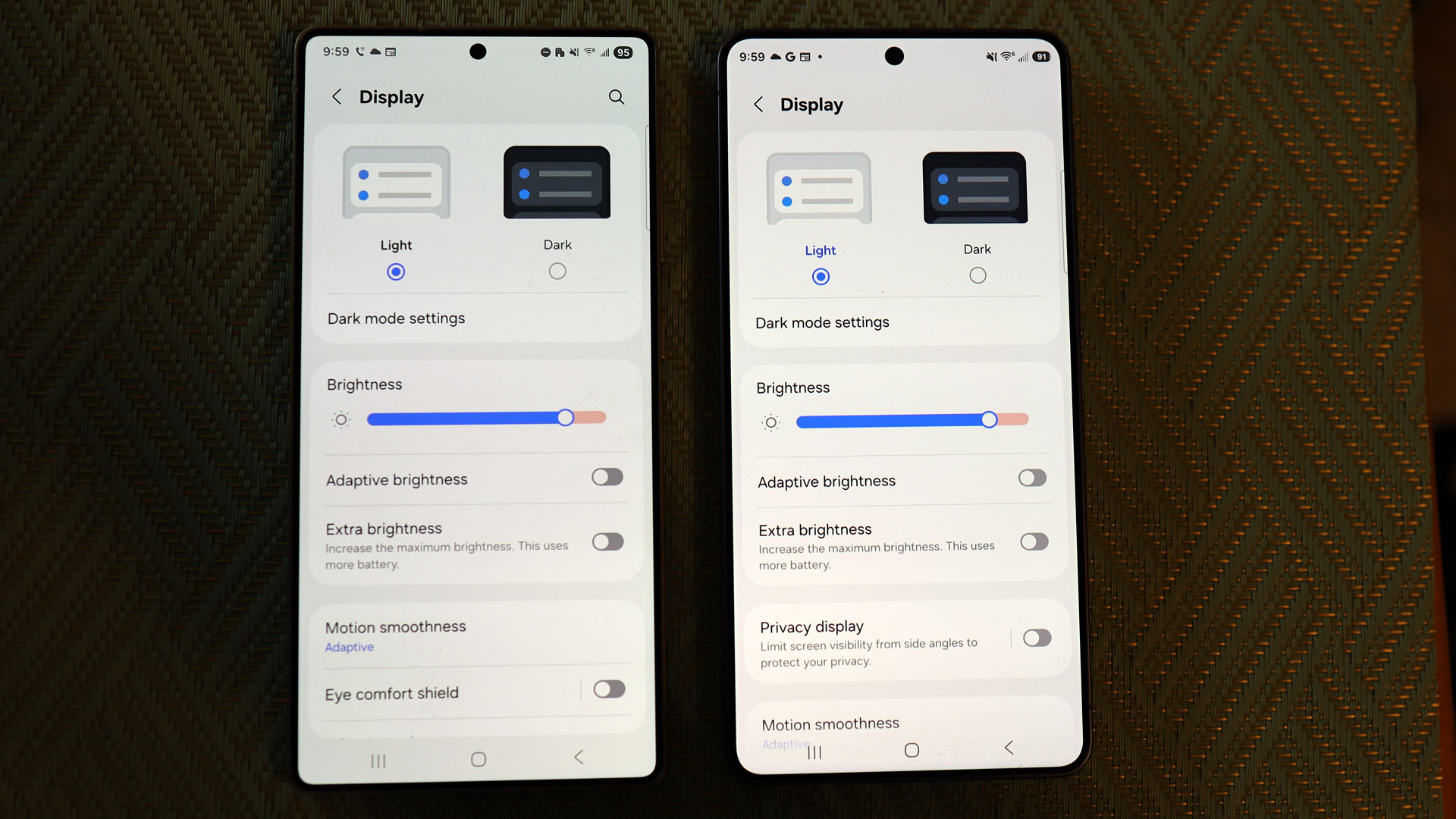
However, when I changed the perspective to a more off-angle view, the difference was marked. Of course, I wouldn’t normally view my screen this way, but I think this offers some evidence that the difference may be due to how Samsung now handles wide pixels. On the privacy screen, they are disabled, but perhaps your settings, even with the privacy screen disabled, are slightly altered compared to the way the pixels are arranged on the S25 Ultra.
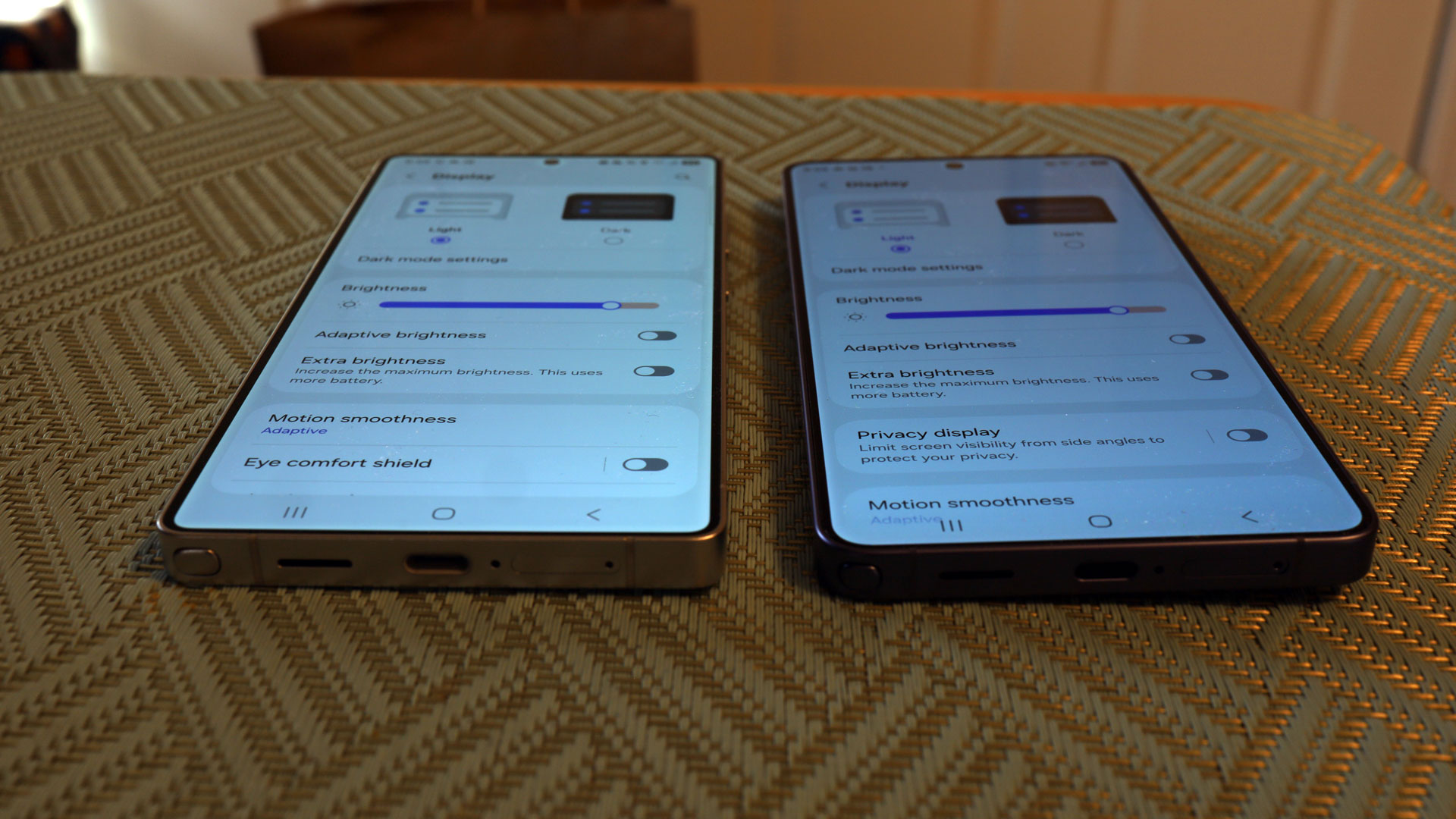
I sent the image to Samsung and asked for feedback. I will update this post with your response.
What I think we can have here is a reasonable trade-off: a nearly imperceptible adjustment of screen brightness (and perhaps color saturation) for a powerful and currently unmatched mobile phone privacy tool.
I have not suffered eye strain with the Galaxy S26 Ultra and stand by my original review. It’s still the best Android out there. That said, Samsung should take a step forward and describe exactly what the privacy display technology does or doesn’t do on the screen in default mode and address small changes in screen brightness.
Look
Follow TechRadar on Google News and add us as a preferred source to receive news, reviews and opinions from our experts in your feeds. Be sure to click the Follow button!
And of course, you can also follow TechRadar on YouTube and tiktok for news, reviews, unboxings in video form and receive regular updates from us on WhatsApp also.


