
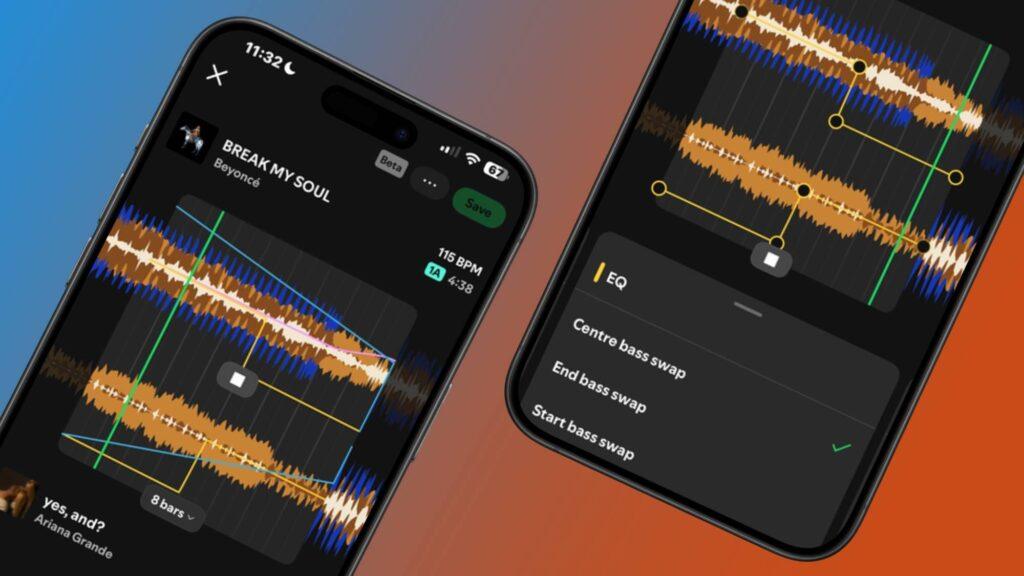
- Spotify has quietly updated its mix playlist tools
- You can now adjust transitions more smoothly by modifying the effects curves.
- It’s starting to appear for more users and so far it’s a big hit.
There is one thing that Spotify does very well and that is offer a list of different playlist creation tools that you can get really creative with. Although some are powered by artificial intelligence, Spotify’s mix playlists encourage you to use your originality when compiling songs, all while getting in the DJ booth.
Just like you would with music mixing software, Spotify Mixed Playlists allow you to create smooth transitions between songs to ensure your playlist flows like a classic DJ set. Its mixing interface presents you with preset effects and even tells you the key and BPM of each track, and now users have noticed a new update that gives you even more freedom on the customization front.
A recent post on the r/truespotify Reddit page shows off the latest update, revealing that you can now further tweak the Volume, EQ, and Filter settings by simply dragging each effect curve to control how the transition is executed. According to a small number of users, this feature has been live for a few months, but most of the listeners in the answers are only now finding it, myself included.

Spotify first launched mixed playlists in August 2025, hot on the heels of Apple’s AutoMix feature. But instead of relying on artificial intelligence to mix songs, Spotify’s version puts the control in your hands and quickly became one of my new favorite tools.
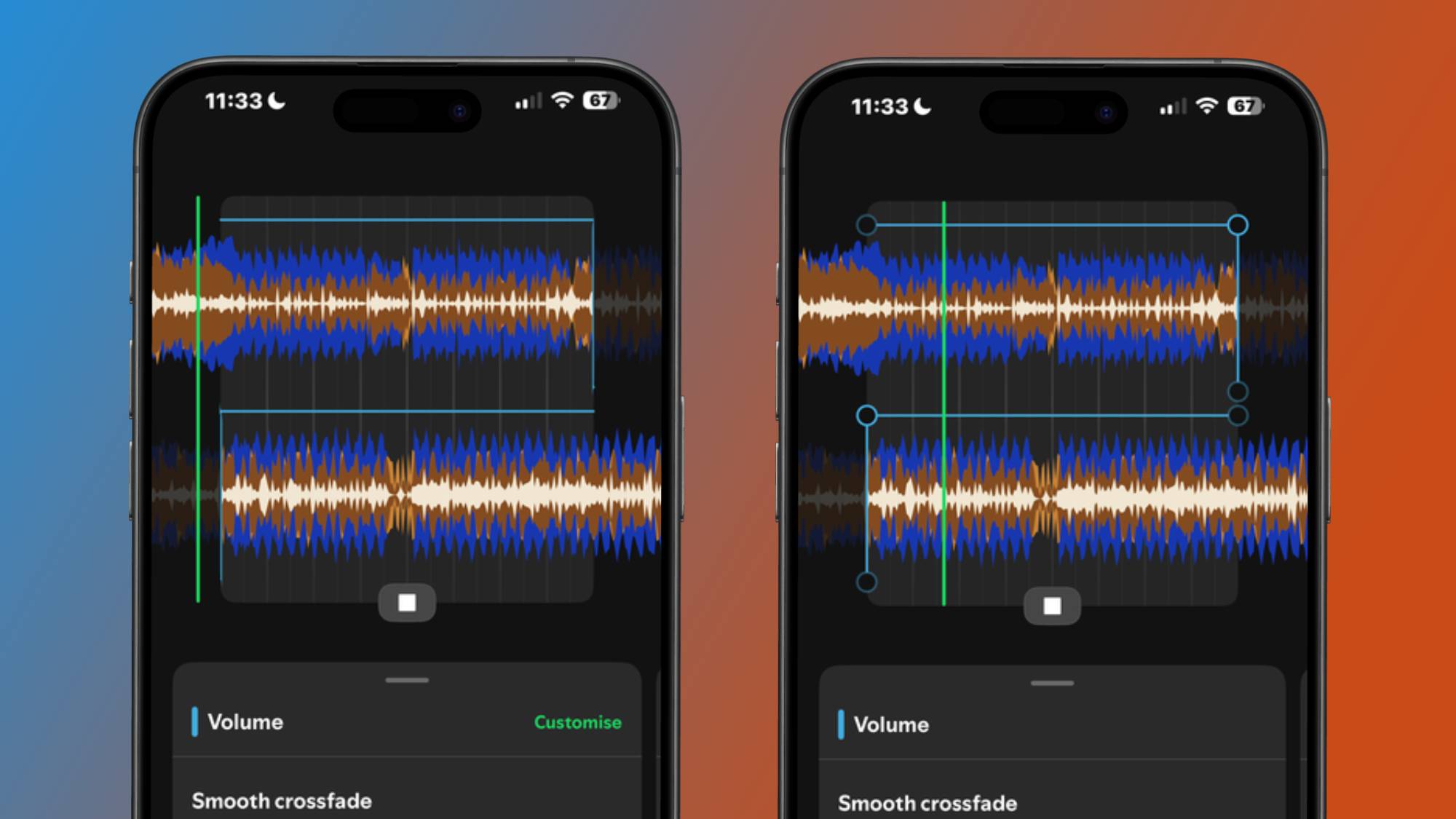
Before the update, you could create song transitions by selecting a preset that would automatically modify the Volume, EQ, and Filter settings, or you could access each of the three and select your own preset to create a custom transition. While they’re still available, you can fine-tune the mix of your songs even further, and after trying them out for myself, I can see why listeners have loved them so much.
For starters, it allows you to clean up small but noticeable imperfections in your transitions that you can’t achieve by presetting all three audio categories individually. For example, if you go into the Filter category and select the ‘High Pass Filter Output Option’, you will be stuck at a location on the audio track. When you tap the ‘Custom’ button, three points appear on the effect curve that you can move around the audio track screen so that the chosen effect appears at a specific time.
However, there are some small glitches (not that many hiccups) with the feature that users have picked up on. When you start customizing your transitions, it can be a little tricky trying to find the exact location for each of the points on the effect curve, but you’ll get used to it.
Additionally, other users have also pointed out that the points on the effect curve sometimes return to their original points after they have been moved. I’ve only encountered this a few times, so it’s not a major issue that will put you off forever.
For once, it’s refreshing to see Spotify give one of its existing tools some love instead of launching new features without giving them much thought. If this is the approach Spotify is taking as of now, think about what you could do to improve features like this in the future.

Follow TechRadar on Google News and add us as a preferred source to receive news, reviews and opinions from our experts in your feeds.