
- Adobe launches new artificial intelligence tools for Acrobat users
- Features include PDF editing using natural language.
- Convert digital documents into presentations and audio versions
Big changes are coming to Adobe Acrobat today, and yes, there’s a lot of AI involved here.
Acrobat has long topped my guide to the best PDF editors. It’s clean, intuitive to use, and has a feature set that I would consider quite extensive.
But it seems that Adobe is not content to leave it there. Already in recent months, we have seen the introduction of a premium enterprise tier, Acrobat Studio and PDF Spaces, an AI-powered workspace. Now, the company has released a number of new tools for the software.
What’s new in Acrobat?
There are four big changes to digital document software in this latest update, based on Adobe’s three key pillars: faster AI insights, personalized sharing, and content creation through Adobe Express.
Here’s what users can expect.
- New ways to edit PDF files using AI chat
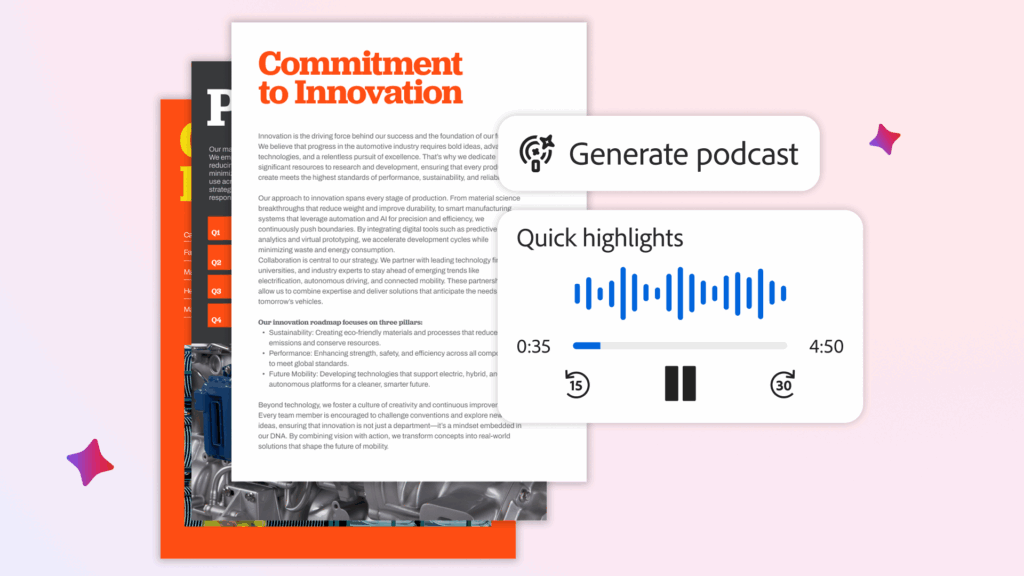
- Generate Podcast allows you to convert PDF files into audio summaries
- Generate Presentation transforms documents into decks
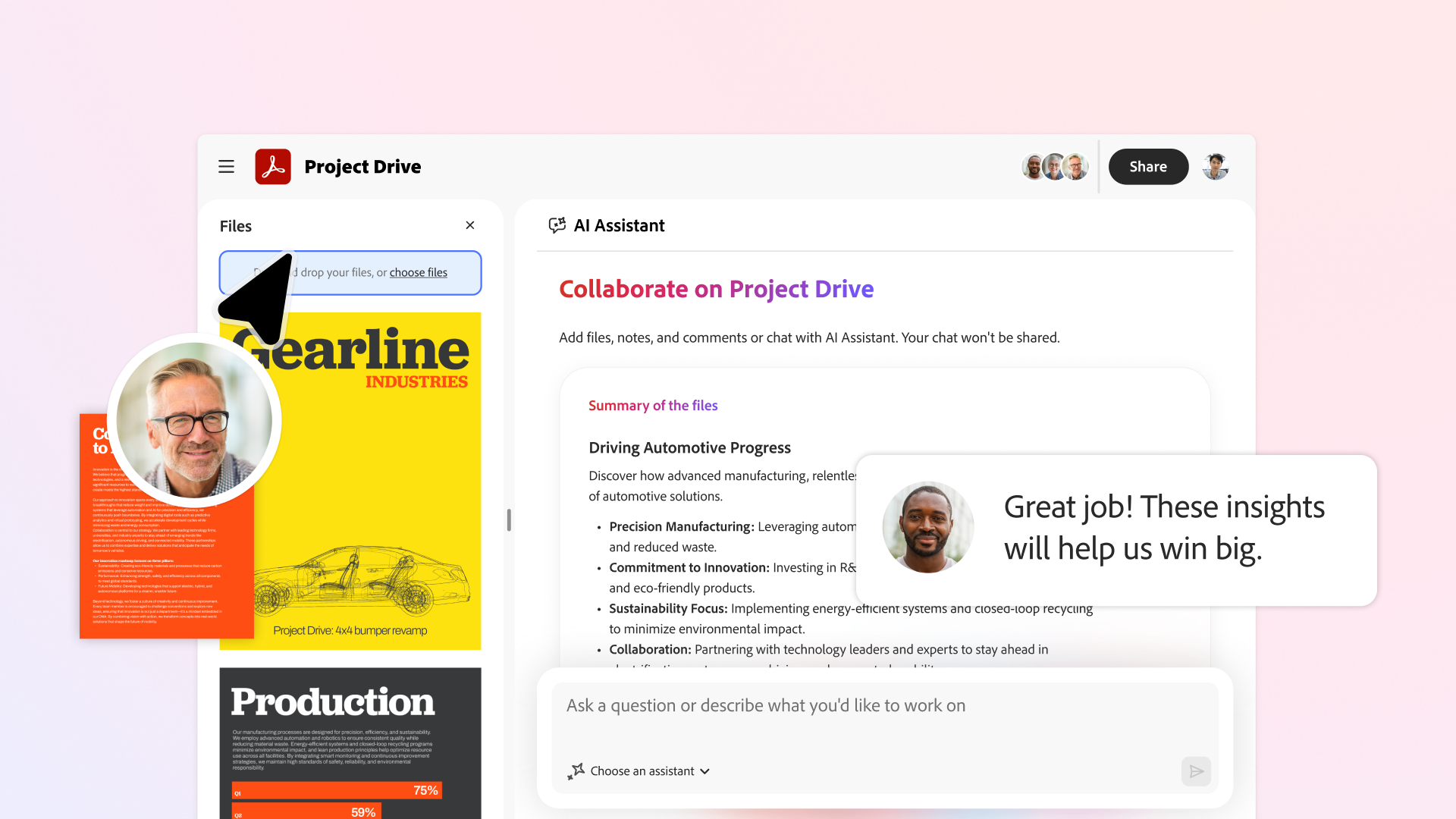
- Improve collaboration through PDF spaces
Let’s start with PDF editing: With the AI plugin, you can now make changes to documents using natural language. Do you want to delete pages or rotate them? Rewrite passages, generate summaries of entire documents? All of that is available through the AI chat box. If you’re not sure where to start, the system will also offer you ideas for other changes or actions to take.
For me, Generate Podcast is the most interesting update. Don’t be fooled by the “podcast” moniker. This is very similar to the read aloud feature already found in Acrobat, where you can create an audio overview of documents, transcripts, and notes. Adobe also promises that the result can be adapted “to the way you learn to retain more information.”
Generate Presentation is another AI tool (of course) and it does exactly what you’d expect: it converts documents into presentations to present information to colleagues. Powered by Adobe Express, which has received a lot of love over the past year, users can create presentations based on over five hundred thousand templates and generate custom images to make them more eye-catching.
Finally, the company wants to improve collaboration within PDF Spaces. It’s not the most exciting update, but it’s a welcome one, with new options to invite collaborators to add files, leave notes, and make comments.
Based on the demo videos Adobe showed me, they all seem useful for speeding up workflows and pretty easy to use, as you’d expect from an AI-enabled Acrobat. But I’ll be interested to see more results and learn how (or even if) professionals are using these tools.

The best cloud storage for every budget


