
- Netflix introduces a new feature that will allow you to vote during live events
- It will make its debut alongside new competition show Star Search.
- It is only available on specific devices and at certain times.
Netflix has announced a new feature that will allow viewers to vote during live broadcasts of specific television shows.
In a press release from the Netflix newsroom, the streaming giant revealed that users will be able to vote in real time on select titles.
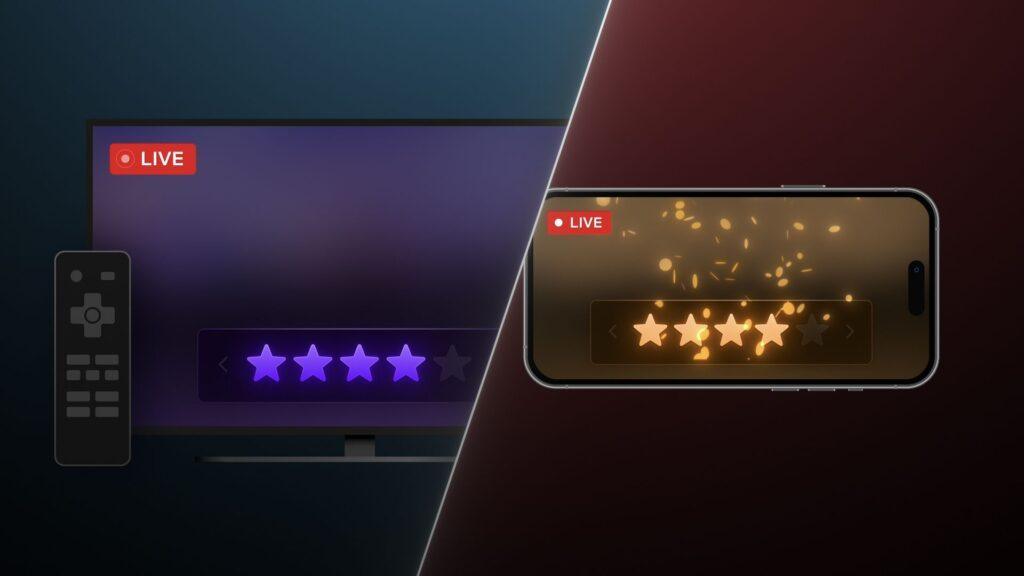
Starting today (January 20) with Netflix’s rebooted version of the music competition series Search for starsAudience members can use the interactive tool to, for example, vote to prevent their favorite artist from being eliminated.
The star-based system, which allows you to rate from one to five stars (out of five), is considered an extension of the current thumb-based rating system that Netflix employs for all of its content. This feature, which allows you to send feedback to Netflix to see if you disliked, liked, or loved one of its movies, shows, or documentaries, has been available for several years on the world’s best streaming service.
How does Netflix’s new live voting feature work?
To participate during a real-time vote, you will need to watch the Netflix app on compatible devices. These include smart TVs, mobile phones, streaming devices (think Roku and Fire TV devices, and Apple TV), and gaming consoles. You No You’ll be able to vote if you’re watching Netflix through a web browser, so you’ll need to switch to your phone or TV if you’re signed into Netflix on a laptop or desktop.
When it’s time to vote, a notification will appear on the screen letting you know that voting is now available. When prompted, use the directional control on your TV remote to select how many stars you want to give, or tap the number of stars on your mobile phone screen to make a decision.
There are a couple of caveats to keep in mind. For one, you will only have a specific amount of time to cast your vote. If you rewind the live episode or pause it for any reason, or can only watch it on demand, you will miss the voting window. Additionally, you will only be able to cast your vote once per request, so once you have submitted your vote, your decision is final. Lastly, the voting interface is only available in English, so non-English speakers may have difficulty understanding what to do.
Netflix has confirmed that there will be multiple votes per event, so there will be plenty of opportunities to shape the outcome of each live episode.
A fun new feature, but it won’t benefit everyone

Netflix’s latest feature isn’t a new idea, but it’s a welcome addition to its interactive repertoire that’s designed to get passive viewers interacting with the live content they’re watching.
The only current drawback to its introduction is that it will only benefit those living in North and South America.
In fact, with new installments of live programs like Search for stars Starting at 6:00 pm PT/9:00 pm ET, such start times are not conducive to users living in other territories. And, as I mentioned above, you can’t cast your vote outside of the live viewing window. If, say, someone in the UK wants to vote for a series like Search for starsThey would have to stay up very late to do it.
Netflix has indicated that it will use this feature for other live events, so subscribers outside of America should be able to take advantage of it in other capacities, such as the streamer’s expansion into live sports. However, it remains to be seen how such a feature would work when, say, an NFL game airs live on Netflix, or whether it will be a novelty feature that will soon lose its appeal. We’ll have to see how popular it is on shows like Search for stars before it is potentially used elsewhere.
Follow TechRadar on Google News and add us as a preferred source to receive news, reviews and opinions from our experts in your feeds. Be sure to click the Follow button!
And of course you can also follow TechRadar on TikTok for news, reviews, unboxings in video form and receive regular updates from us on WhatsApp also.


