

- ChromeOS Flex is now available to purchase as a kit
- The $3 kit provides a USB stick and complete instructions to easily install the operating system.
- Flex is intended to breathe new life into aging hardware, specifically Windows 10 PCs, which will soon be out of support for extended support.
ChromeOS Flex is a lightweight operating system designed to install easily on older PCs, such as Windows 10 laptops, to provide a way to keep otherwise obsolete hardware usable, and now it’s even easier to install.
This is because, as previously promised, Google, together with Back Market (a team that specializes in refurbished technology), now has a ChromeOS Flex kit available for purchase.
It costs $3 (or £3 in the UK, €3 in Europe) and for that outlay, you get a USB stick containing the operating system and guides on how to install it.
Article continues below.
The Flex version of Google’s operating system is largely the same as the standard ChromeOS, although with some features trimmed and with its highly optimized (cloud-centric) nature, it’s designed to run well on older hardware.
Emphasizing the ecological aspects, Google tells us: “The manufacturing process of a new laptop is responsible for a large part of its carbon footprint. ChromeOS Flex allows the already manufactured device to be used for longer, which keeps the hardware out of landfills and avoids the emissions of manufacturing a new device. The savings do not end there, ChromeOS also consumes 19% less energy on average than other comparable systems.”
Look
As the blog post announcing the arrival of the $3 kit makes clear, it’s aimed at Windows 10 PCs, which will lose extended support (updates) for consumers in October, six months from now. (In fact, official support ceased last October.)
It will also convert other machines, including some Macs, to ChromeOS Flex, and there’s a full list of supported devices here (including caveats, like a webcam might not work with Google’s OS).
Analysis: Push Up to Win
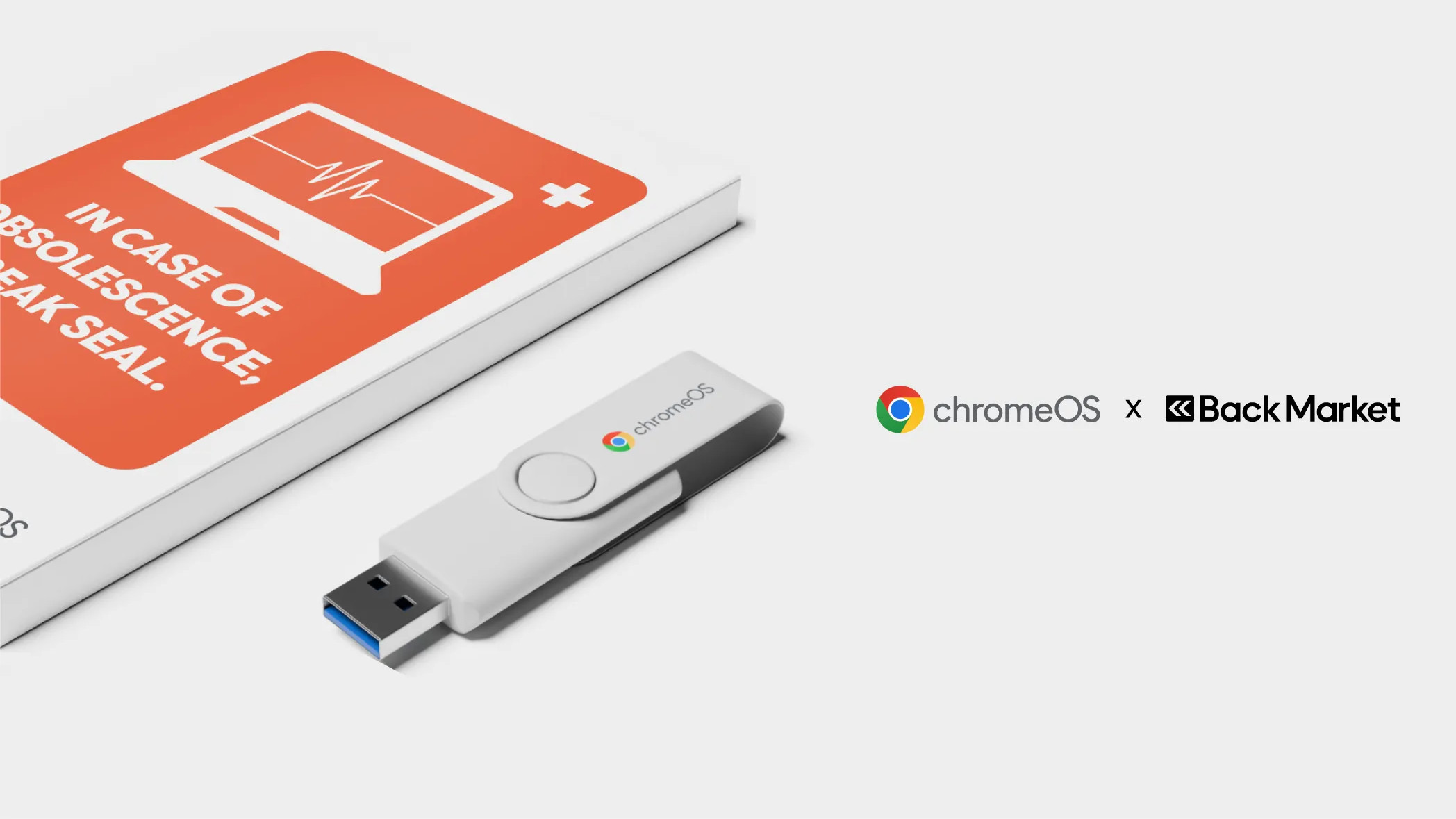
It’s a great idea to produce an easy-to-use kit to try to recruit more PCs for ChromeOS Flex. As Back Market says, it’s all about “administering the cure” for the Windows 10 blues, and the “side effects may include curiosity.”
All you need to do is turn off your laptop, place the USB stick in a free port, boot the machine, and from the boot menu, install ChromeOS Flex from the USB stick. As mentioned, full instructions are provided and the kit is very affordable, only a few dollars. The idea is that you can pass it on to other people once you’re done, and since it’s still a pilot program for now, there are a limited number of these kits. However, more will be made if they are popular.
However, you don’t need to buy a kit as you can create your own USB stick and install ChromeOS Flex by following our full guide here. However, the kit makes everything very beginner-friendly, which is the idea, of course.
The best laptops for all budgets
Follow TechRadar on Google News and add us as a preferred source to receive news, reviews and opinions from our experts in your feeds. Be sure to click the Follow button!
And of course, you can also follow TechRadar on YouTube and tiktok for news, reviews, unboxings in video form and receive regular updates from us on WhatsApp also.


