
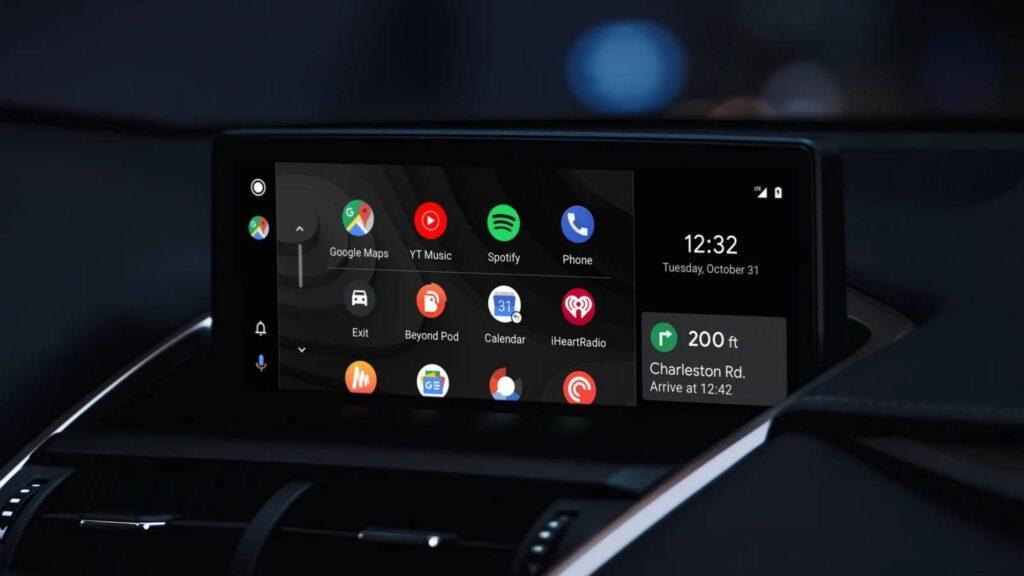
- YouTube has implemented support for Android Auto with playback controls
- The problem is that it doesn’t play videos and you can only stream audio.
- You also need YouTube Premium for it to work, as it’s essentially background playback.
YouTube is finally rolling out support for Android Auto, the app that lets you mirror your smartphone screen on your car’s dashboard, but before your excitement takes over, you should be aware that it comes with a number of limitations.
However, the video platform has been pretty quiet about this release, and instead of formally announcing the integration, online users found it themselves, like in this Reddit post. As it stands, Android Auto is pretty strict about what you can and can’t do while your car is moving, which, when it comes to eliminating visual distractions while driving, is a safety no-brainer. That said, YouTube on Android Auto is not the YouTube you know and love.
For starters, Android Auto removes one of the key elements of YouTube and that is its video player, so you won’t be able to watch anything and can only listen to the audio playback like the best music streaming services. In theory, you can play any type of content you want, but you will only be able to listen to its audio, which won’t be a big setback if you exclusively listen to podcast episodes or videos that are ideal for audio-only listening.
Article continues below.
Although it removes YouTube’s most important functionality, it’s not a huge surprise and is arguably the most sensible thing to do to ensure safe driving. Not only that, it doesn’t offer full-screen viewing or the option to search for content, and playback controls are also limited.
As reported by 9to5Google, you will not be able to advance within a video and the current skip button will take you directly to the next video in the queue. You can still pause and play audio from the player screen, but you won’t have access to YouTube’s wealth of playback tools.
Until now, users have relied on workarounds to get YouTube working on Android Auto, so I see this integration being very well received. But it wouldn’t be classic YouTube if the appeal of YouTube Premium didn’t exist.
A Secret YouTube Premium Persuasion Strategy
Did you think you could stream YouTube through Android Auto for free? I hate to break it to you, but you’ll need a YouTube Premium subscription to do this.
In typical YouTube fashion, the Android Auto integration is another paid feature behind Premium and it’s all down to background playback, which is necessary for streaming via Android Auto. As this is a tool only available to paid subscribers, only those with a membership will be able to stream YouTube on a car dashboard, and the way I see it, this is yet another strategy YouTube is using to get more people to sign up for Premium.
The cheapest way to do this is through YouTube Premium Lite, which costs $7.99 / £7.99 / AU$8.99 a month, a relatively new tier that launched last year. Background viewing and offline downloads were added just a few months ago, but while it offers mostly ad-supported viewing, this does not apply to music or other music-related content. If you’re like me and use YouTube for all things music and live performances, the standard Premium plan is your best option.
Follow TechRadar on Google News and add us as a preferred source to receive news, reviews and opinions from our experts in your feeds. Be sure to click the Follow button!
And of course, you can also follow TechRadar on YouTube and tiktok for news, reviews, unboxings in video form and receive regular updates from us on WhatsApp also


