
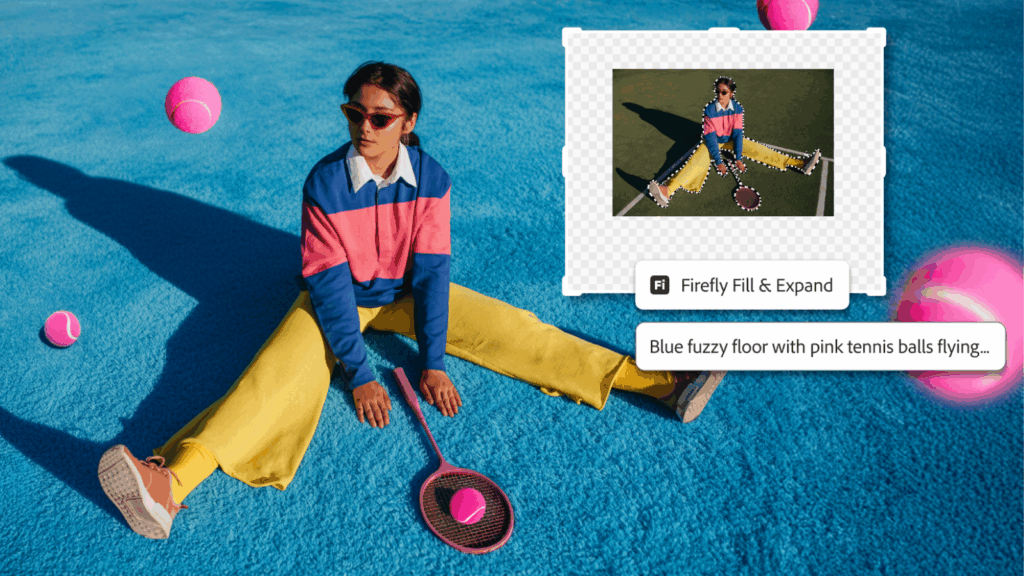
- Adobe announces new Photoshop updates for creative professionals
- Two new layer settings Clarity & Dehaze and Grain revealed
- Firefly AI Tools Get an Update for Both the App and Photoshop on the Web
Adobe today announced several major updates to Photoshop, including the introduction of two new adjustment layers and expanded artificial intelligence tools.
The changes are primarily aimed at creative professionals looking for greater control over their work, without spending hours on tasks such as composing, refining or cleaning images.
The headline feature has to be the introduction of the Clarity & Dehaze layer, which will significantly speed up workflows. In a blog post, the company said the new updates, which include a new beta text tool, will help users “exercise more precision and control, so they can maintain their creative momentum and spend more time bringing their creative vision to life.”
What’s new in Adobe Photoshop?
I’ve been longing for some major Adobe Photoshop updates that aren’t just AI, AI, and more AI.
And while there’s a lot of that on offer here, the latest update also includes some significant changes that I think creative professionals will love.
Here’s what users can expect:
- Maskable, non-destructive adjustment layers, Clarity & Dehaze and Grain
- Dynamic Text beta is now available
- Major update to Generative Fill, Generative Expand and Remove tool
- More control over the reference image for generative filling
So, we start with Clarity & Dehaze and Grain. These are two new non-destructive layer-based adjustments that Adobe says are based on community feedback for greater precision and control when working with layers.
With Dehaze, you can balance lighting and haze effects, while Clarity, as the name suggests, brings enhancements and sharpens your subjects. Therefore, it is no longer necessary to open the Camera Raw filter to remove haze from an image.
Meanwhile, Grain helps add dimension to your photographs. According to Adobe, all of this can be achieved by masking and blending each setting. Both layers get an overall release.
Now in beta, Dynamic Text is one of those simple additions to improve quality of life; In fact, it’s so simple that it’s hard to believe it hasn’t been there all along. Click on a text layer, choose between circular, arched, or arched shapes, and Photoshop will do the rest of the work, adjusting and resizing the text to match.
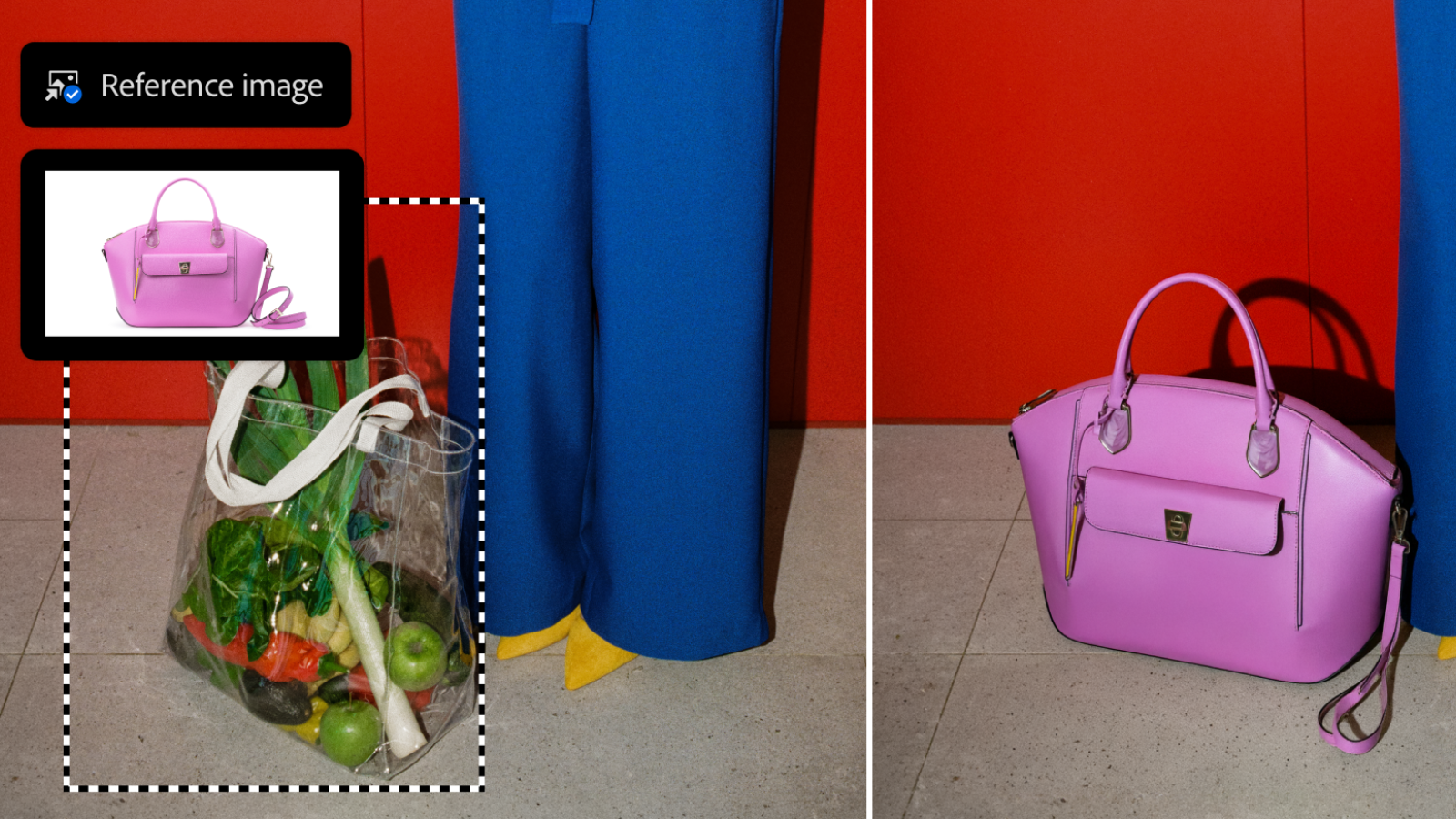
Next come two big changes for Firefly-powered tools, with the introduction of a new Fill and Expand model and a Remove Tool 3 model.
Generative Fill, Generative Expand, and the Remove tool are now capable of generating results at up to 2K resolution, and Adobe promises “sharper details and fewer artifacts.”
The goal, the company says, is to create results that better match your cues than previous AI models, with the addition of more natural lighting and depth. Realism, it seems, is the order of the day here.
On top of that, Reference Image for Generative Fill now offers more control over the results.
What that really means is that when changing an object (in the Adobe example, they changed one bag for another (see above)), AI tools are better able to retain the “identity” of the original product.
This looks to be a great update for anyone using Photoshop for e-commerce and marketing, with AI now able to deliver “geometry-aware results that better match the scene, reorienting to the correct scale, rotation, lighting, color and perspective.”
All updates are available now in the desktop version of Photoshop, while Firefly updates can be used both in the app and in Photoshop on the web.

The best photo editors for all budgets.


