
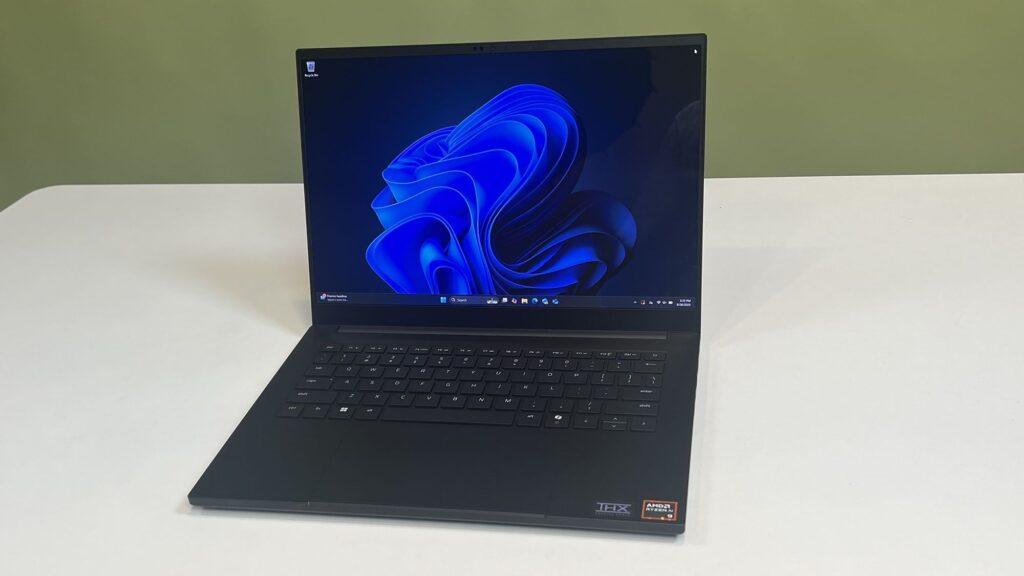
- Windows 11 gets a new, more convenient way to enable dark mode
- Microsoft is also rolling out a fix for some remaining File Explorer bugs. — white flashes on the screen — caused by dark mode last year
- Hopefully that will be the end of those ‘flashbangs’, but all this work is still in testing for now.
Microsoft is ushering in an improvement for dark mode in Windows 11, in addition to fixing a bug that has been present for almost half a year that involves distracting white flashes and was caused by working in dark mode.
As noted by Windows Latest, a new preview build in the Beta channel for Windows 11 features the following change, as described by Microsoft: “Removed white flashing when opening new File Explorer windows or tabs when File Explorer was set to open on this PC. Also removed white flashing when resizing File Explorer items.”
If you remember, in November 2025, Microsoft expanded dark mode to include a bunch of file operation popups (the boxes that appear when copying or moving files, for example, which were previously left a jarring white when in dark mode).
In fact, this change was tested last October, but when it was fully rolled out to Windows 11 users, it was discovered that it had introduced a nasty bug where people were seeing white flashes on the screen when they interacted with File Explorer in different ways.
This was very irritating, and before long, Microsoft fixed many of the circumstances under which these ‘flashbangs’ (as they were widely called) occurred. However, the white flashes remained in some parts of File Explorer.
As described by Microsoft, those crashes that still persisted when resizing some File Explorer items, or setting it to open in “This PC”, have now been fixed. That should be the last of the dark mode-related gremlins in the works, with any luck.
Microsoft is also bringing in a useful improvement to allow Windows 11 users to more easily access dark mode. Windows Latest highlighted a post on There’s a new dark mode option in the Power Savings panel here, although it’s still in testing for now (as is the aforementioned fix).
Analysis: a disconcerting time scale
A quick switch to dark mode is something that ideally should have been introduced earlier, but it’s still nice to see the feature coming. Right now, if you want to switch between dark and light modes, you have to dive a couple levels into the Settings app (Settings > Personalization > Colors), which isn’t a big deal, but isn’t exactly convenient either.
Mind you, the whole timeline of the overall work with dark mode, in terms of its slow, gradual introduction into Windows 11, has been baffling. Why has it taken so long to do this? It’s clearly not high on Windows 11’s priority list, but still, the time it takes for a core feature to be universally applied across the entire operating system seems to have gotten longer and longer.
On top of that, it’s worth noting that it’s been five months since the flashbang error in File Explorer, caused by working in dark mode, first manifested itself, and it’s still an ongoing issue. Of course, this should be the end of the saga now, but this fix is still in testing, so we won’t know if it actually works to put an end to all the scenarios where white flashes are still occurring until it is released to the general computing public with Windows 11.
So, fingers crossed, but we’ve seen Microsoft’s fixes introduce new bugs before, so it’s by no means guaranteed that this will be the complete end of the problem.
The best laptops for all budgets
Follow TechRadar on Google News and add us as a preferred source to receive news, reviews and opinions from our experts in your feeds. Be sure to click the Follow button!
And of course, you can also follow TechRadar on YouTube and tiktok for news, reviews, unboxings in video form and receive regular updates from us on WhatsApp also.


