
Nym Technologies has released a major update to the NymVPN app for iOS, adding several new connectivity and convenience features.
At the heart of the update are new features designed to give users control over the balance between privacy and performance.
NymVPN is one of the most technical VPNs on the market. Central to its operation is the Nym mixed network, or mixnet, which hides user metadata by routing traffic through a mix of servers, encrypting IP addresses on both sides of the connection.
At the same time, a combination of traffic from other users and decoy traffic is sent over the same mixed network, making it virtually impossible to trace any action back to you.
NymVPN has seen several notable improvements lately, adding post-quantum encryption as standard in June this year, split tunneling for Windows users in April, and an ad blocker in early 2026.
It’s now a little more like a typical VPN, although the new features and fixes included in the iOS 2026.11.0 update are a little more complex than the typical VPN update. Read on for a breakdown of the new features (based on information provided to us by NymVPN, anyway).
Key Features
The update introduces Server Families, a new alert system that lets users know when chosen mixnet servers may belong to the same operator or subnet. This allows users to maintain decentralization by choosing servers from different operators for each node in the mixnet.
All Nym servers are community-managed and decentralized using blockchain technology, but using different operators for each node maximizes potential obfuscation of network traffic.
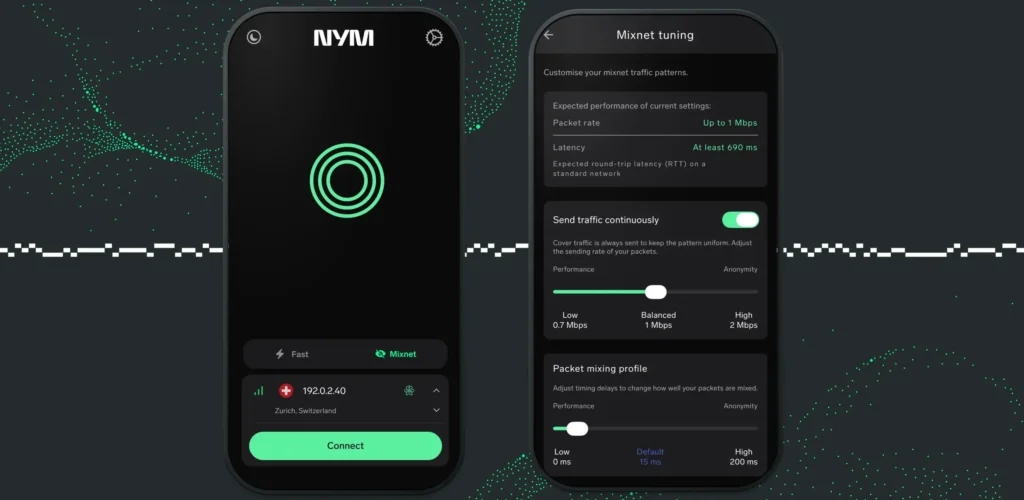
Additionally, the update adds a new Mixnet Tuning feature in beta, allowing users to adjust the balance between anonymity and privacy.
Mixnets operate through a series of ‘hops’, referring to individual nodes between the source and destination of network traffic. Nym uses a five-hop mixnet as standard, with one input, one output, and three connection points in between.
This creates latency: according to Nym, their mixnet adds 15ms of delay per hop by default, for a total of 75ms over five hops.
This is an intentional measure designed to hide the moment of your network traffic, as well as its origin and destination, but could be annoying for video streaming or online gaming, where latency needs to be as low as possible to maximize performance.
Mixnet Tuning adds two settings that allow users to adjust NymVPN’s default instructions while maintaining the connection. These are the ‘Send Traffic Continuously’ setting, which offers a range of 0.7 Mbps to 2 Mbps for decoy traffic, and the ‘Packet Mixing Profile’, which changes the time each mixing node retains its traffic, from 0 ms to 200 ms.
Keeping it convenient
NymVPN’s latest iOS update also brings some quality of life improvements to the app, and while it’s still quite a ways off our list of the best VPNs, it’s good to see that the app will now be easier to use on the best iPhones and best iPads.
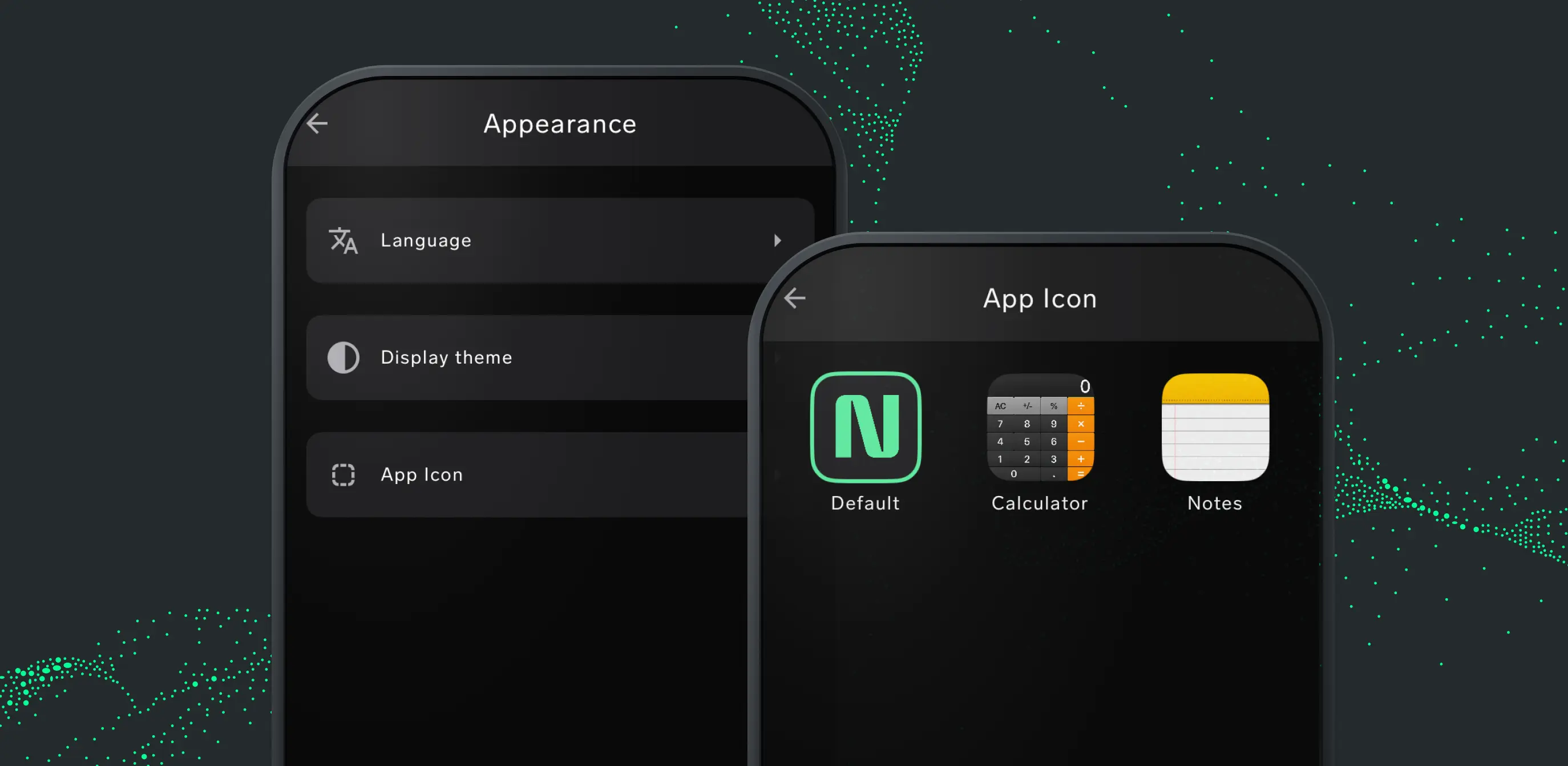
These improvements include the ability to change the app icon to a calculator or notepad to avoid prying eyes, a bug fix for an issue that incorrectly displayed subscription data after a fresh install, and stronger ad blocking.
Nym’s blog says that the app’s daily data allowance has been increased, but as of this writing, the company has not confirmed the total allocation or by how much it has been increased.
Similarly, Nym has not expanded on its claim that the update makes NymVPN easier to use in areas and territories that restrict VPN use.
TechRadar has reached out to NymVPN for more information on these areas and we will update this article once we know more.