
- Microsoft Teams reveals more about new Facilitator AI tool
- The facilitator will monitor your Teams meetings and act as a manager and assistant.
- May help fill knowledge gaps, but raises privacy concerns
Microsoft Teams is set to launch Facilitator, a new AI-powered tool that will look to help you better manage your calls and fill any potential knowledge gaps that arise during a meeting.
However, doing so will require enabling the tool to listen to and view all of your meetings, so you know when to interfere and contribute.
This has already led some observers to worry about the privacy and security limits of the tool, but Microsoft says the tool will be disabled by default, meaning users will have to actively activate it.

Bots in teams
“We’re introducing a new Microsoft Teams Facilitator capability that proactively detects and resolves knowledge gaps during meetings,” notes an update on the company’s admin portal.
“The facilitator can identify when participants ask questions or express uncertainty and retrieve and share relevant responses using web search in the meeting chat.”
The company presented a number of potential use cases where Facilitator could be useful, such as monitoring an agenda in a meeting invitation to help keep everyone up to date by displaying the information in a sidebar.
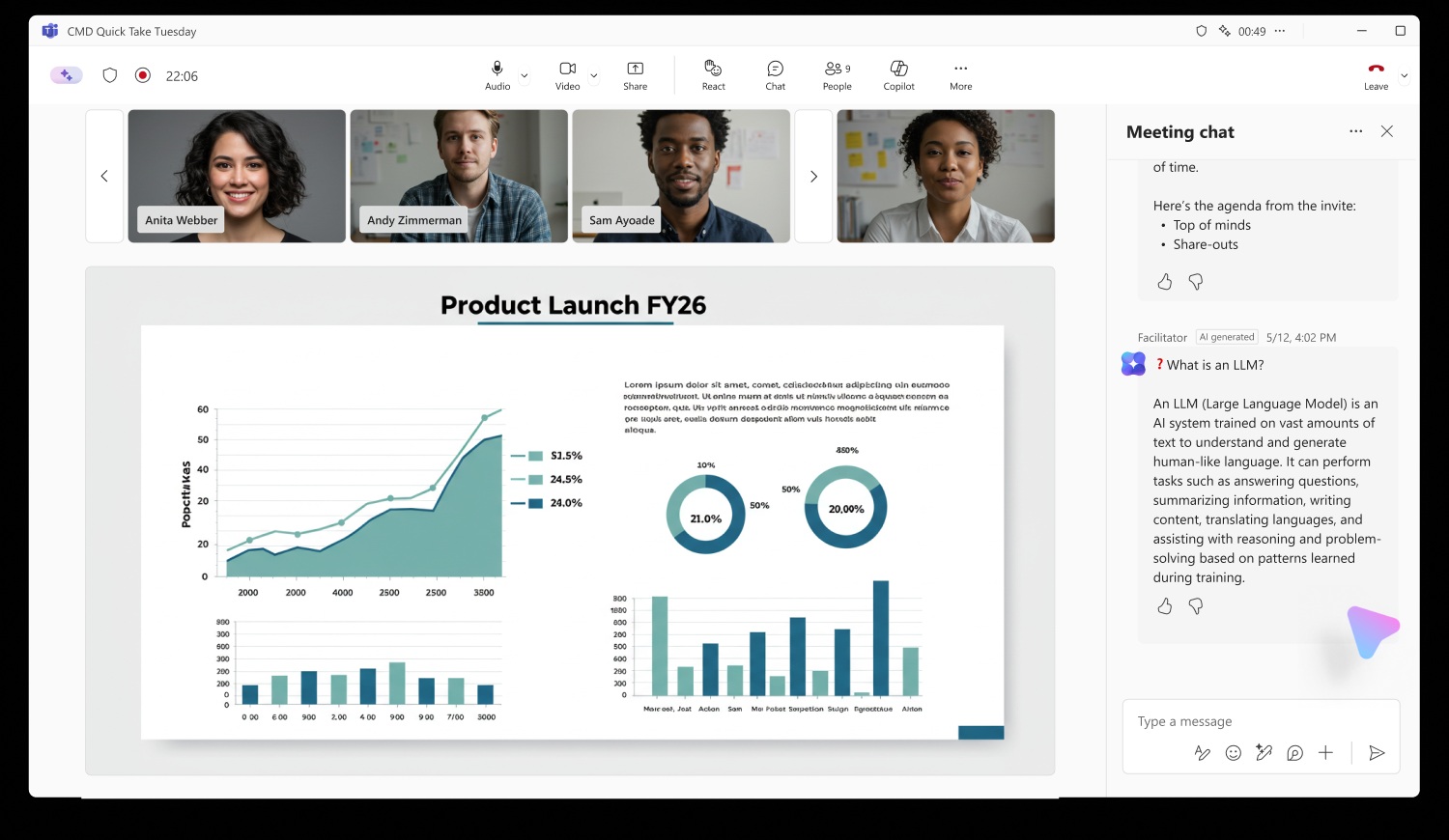
The facilitator can also start a timer to ensure everyone stays focused on the key points of an agenda, which can be lengthened, paused or reset as needed. Anyone joining the call late can ask the tool for a quick summary of what has already been discussed and quickly search for relevant information.
You can also create a document based on a particular topic discussed during a call, helping you kick-start a new project or generate ideas, as well as helping you manage any assigned action items by capturing details in the Notes app.
For those on the go, Facilitator can also instantly capture, transcribe and organize notes from in-person meetings, with speaker distinction and actionable summaries, right from your mobile device.
Once the call is placed, the facilitator can also review any content they generated during the meeting, which can be accessed in a separate summary menu and shared between participants.
Facilitator is now in public preview for select customers: The company added that a Microsoft 365 Copilot license will be required to add Facilitator to a meeting or activate it during a meeting. However, any meeting participant (excluding external participants) can see all real-time updates in Chat and Notes.
Through WindowsLatest

Follow TechRadar on Google News and add us as a preferred source to receive news, reviews and opinions from our experts in your feeds.


