
- macOS 27 Golden Gate has sticky menu icons on your Mac
- Menus are no longer full of unnecessary icons
- That makes it much easier to find things at a glance.
Apple’s macOS Tahoe operating system received its fair share of criticism, particularly when it came to design decisions. One of the most controversial concerned the way it used icons in menus, but now it appears that macOS 27 Golden Gate unveiled at Apple’s WWDC 2026 event has been completely rolled back, much to the relief of long-suffering Apple fans. And it has big implications for anyone who wants a better experience when using their computer.
The problem in macOS Tahoe was that the app menus were cluttered with icons, making it very difficult to distinguish between menu items at a glance. In macOS 27, this was removed entirely, as noted by programmer Nikita “Tonsky” Prokopov, and most menus now contain just a few icons.
Now, only certain menu items have icons next to them, while others remain simple text entries. This restores the menu layout to how it used to be and greatly reduces visual clutter in macOS menus, reducing the work it requires to differentiate between menu options.

In addition to the design change, Prokopov noted that Apple also updated its guidelines for third-party designers, reminding them to “use menu items sparingly and with purpose.” Icons should be used to “highlight the most common actions and key features of your app,” Apple says. If a menu item doesn’t fit an existing icon, it probably shouldn’t be used.
Better late than never
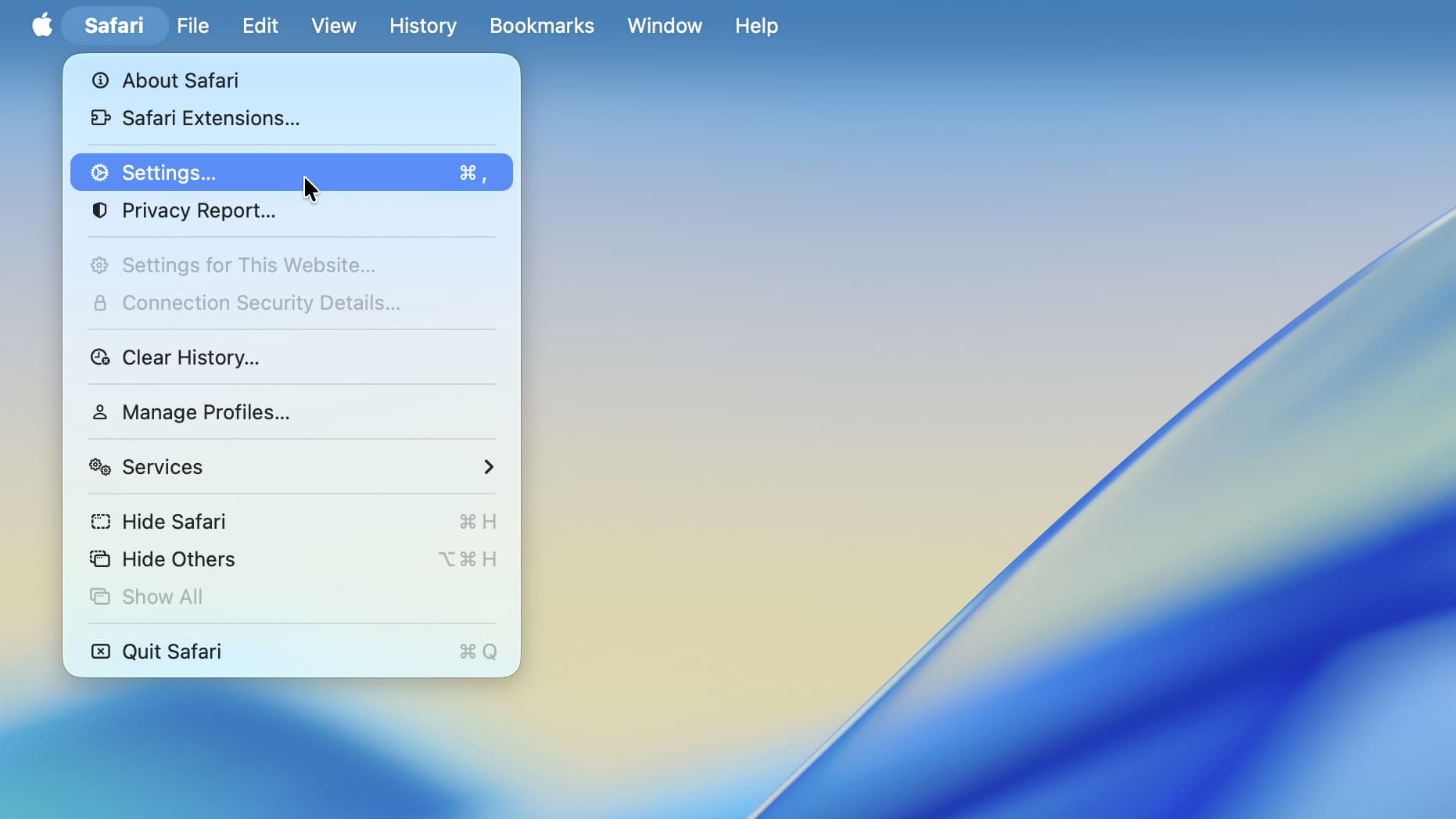
Menu design may seem like a fairly specific complaint, but it can have a big impact on the way you use your computer.
If you have to analyze a bunch of icons every time you open a menu, this slows you down and can cause frustration. The sole purpose of an icon is to convey meaning quickly: If a menu is packed with icons, the meaning of an icon is quickly lost among the sea of competing visual elements. It’s a small thing, but it covers a bigger picture: good design makes using a product effortless; The bad design makes it infuriating.
The situation was so bad in macOS Tahoe that it left prominent Apple commentators furious. Influential blogger John Gruber, for example, called macOS Tahoe’s menu icons “notoriously inconsistent and often completely inscrutable.” Respected macOS developer Rogue Amoeba called them “infuriating.”
This is not the first time that Apple has had problems with icons. Both macOS Tahoe and iOS 26 came with transparent icons that eliminated the ability to distinguish the icons at a glance. It seemed like Apple didn’t understand the basics of good design, and this is the company that should be the world leader in design.
For me the worst thing about all this is that Apple’s menu design in macOS Tahoe broke his own rules. As Prokopov noted, Apple’s 1992 Macintosh Human Interface Guidelines said that icon-filled menus could “overwhelm the user.” And yet it went ahead and ignored its own advice in macOS Tahoe, often reusing the same icons for different menu items, sometimes side by side.
It all contributed to my despair that macOS Tahoe’s visual language was much worse than I initially thought. Under now-deceased design chief Alan Dye, it seemed like Apple naively thought design meant taking something average and painting it in pretty colors, functionality be damned. In other words, exactly the kind of superficial thinking that Apple founder Steve Jobs criticized in the past.
However, with macOS 27 fixing its menu icons and Alan Dye out of the way, things are looking up. Fixing things in your Mac’s menus may be a small step, but it suggests that Apple is starting to remember why good design makes everything better for its users. As Gruber said, “it’s proof that the rot has been worked out of Apple’s software design team.”

Follow TechRadar on Google News and add us as a preferred source to receive news, reviews and opinions from our experts in your feeds.


